Capital events are transactions that change an investor's capital position in the fund. They include new contributions and reinvestments of returns. Recording capital events accurately is critical because they directly affect how the waterfall is calculated. They determine unreturned capital, which in turn affects return-of-capital (ROC) distributions and preferred return accrual.
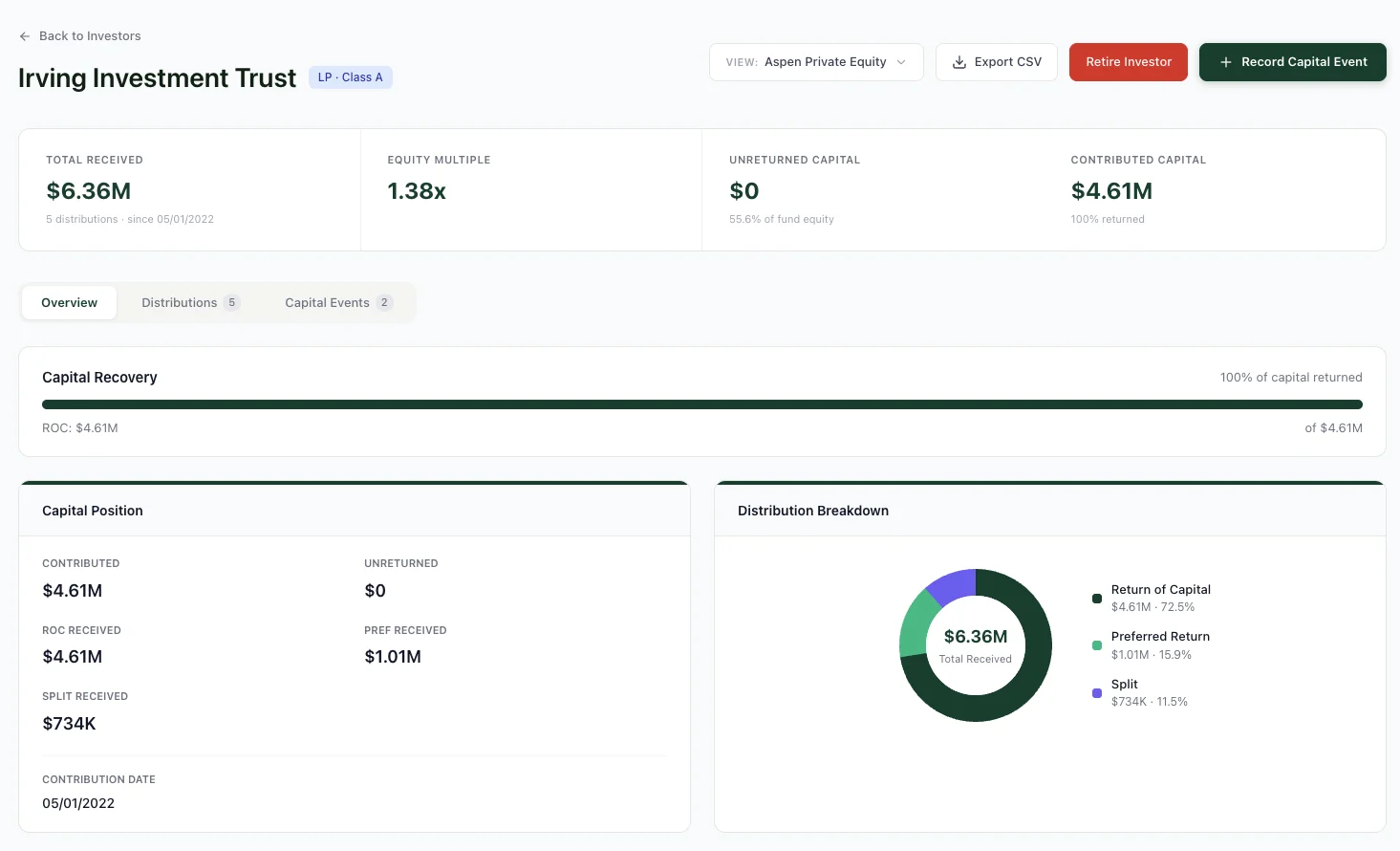
An investor's detail page. Capital position, distribution breakdown, and recovery progress all in one view.
Understanding Capital Events
A capital event is any transaction that modifies an investor's unreturned capital balance. WaterfallOne tracks two types of capital events:
- Capital Contribution: An investor adds new capital to the fund (e.g., initial investment or follow-on commitment)
- Reinvestment: An investor receives distributions but chooses to reinvest part or all of them back into the fund (increasing unreturned capital again)
Corrections and transfers are handled separately — the Record Capital Event modal has three tabs: Capital Event, Transfer, and Correction. Each serves a different purpose (see sections below).
Each capital event is dated and immutable, creating an audit trail of every change to an investor's capital position.
How Capital Events Drive the Waterfall
The waterfall is built on unreturned capital. When you record a capital event, it immediately updates the investor's unreturned capital balance:
- Capital contributions and reinvestments increase unreturned capital
- Distributions decrease unreturned capital (automatically tracked)
Because the waterfall prioritizes return-of-capital before preferred returns, changes to unreturned capital directly affect which investors receive which portions of a distribution. Additionally, preferred return accrual is calculated on unreturned capital, so a mid-period capital event may trigger time-weighted preferred return calculation.
Recording a Capital Event
To record a capital event in WaterfallOne:
- Navigate to the asset page and click the Record Capital Event button in the header area (you can also access this from an individual investor's detail page)
- Select the investor
- Choose the event type: Capital Contribution or Reinvestment
- Enter the amount
- Set the effective date (when the capital change occurred)
- Choose behavior flags (see below)
- Enter a description (e.g., "Series A follow-on" or "Correction for FX difference")
- Save the event
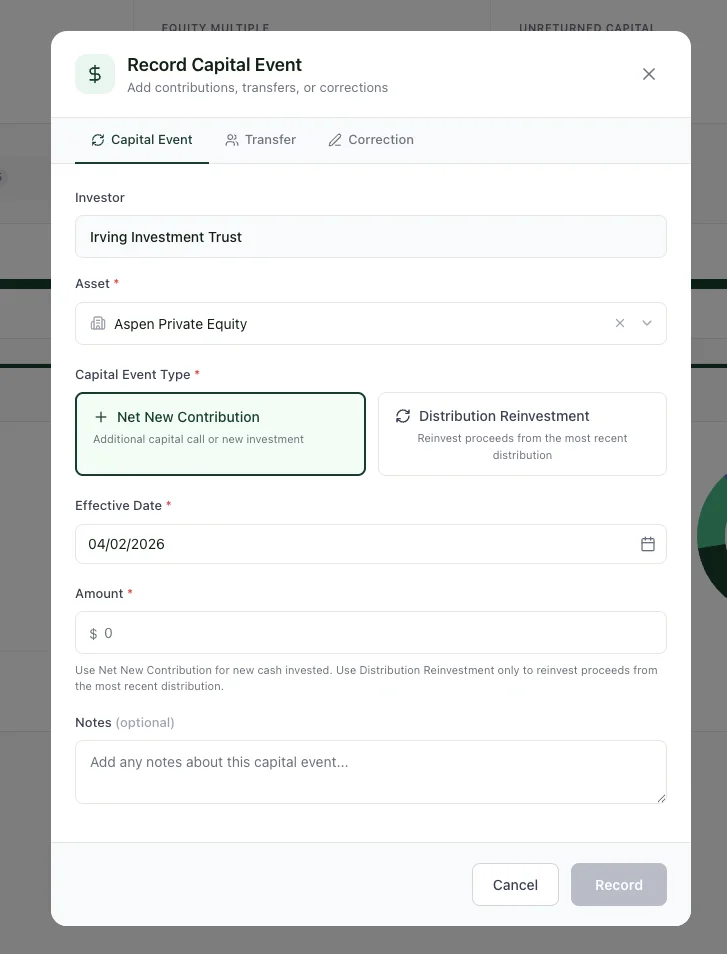
Recording a Net New Contribution. Select the investor, asset, set the date and amount.
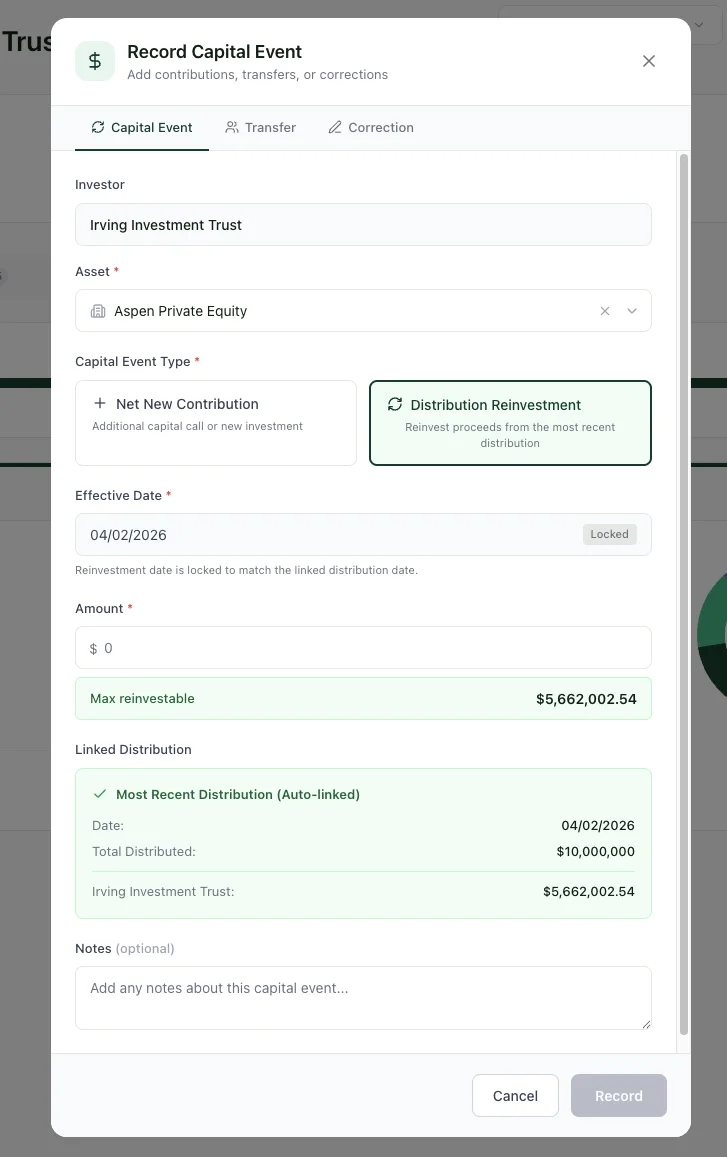
Distribution Reinvestment. Links to the most recent distribution and auto-populates the reinvestment amount.
Transfers
The Transfer tab lets you move capital from one investor to another. The source investor's balance decreases and the target's increases by the same amount. You can choose whether to accrue preferred return on the transferred capital and whether reinvested capital follows the transfer.
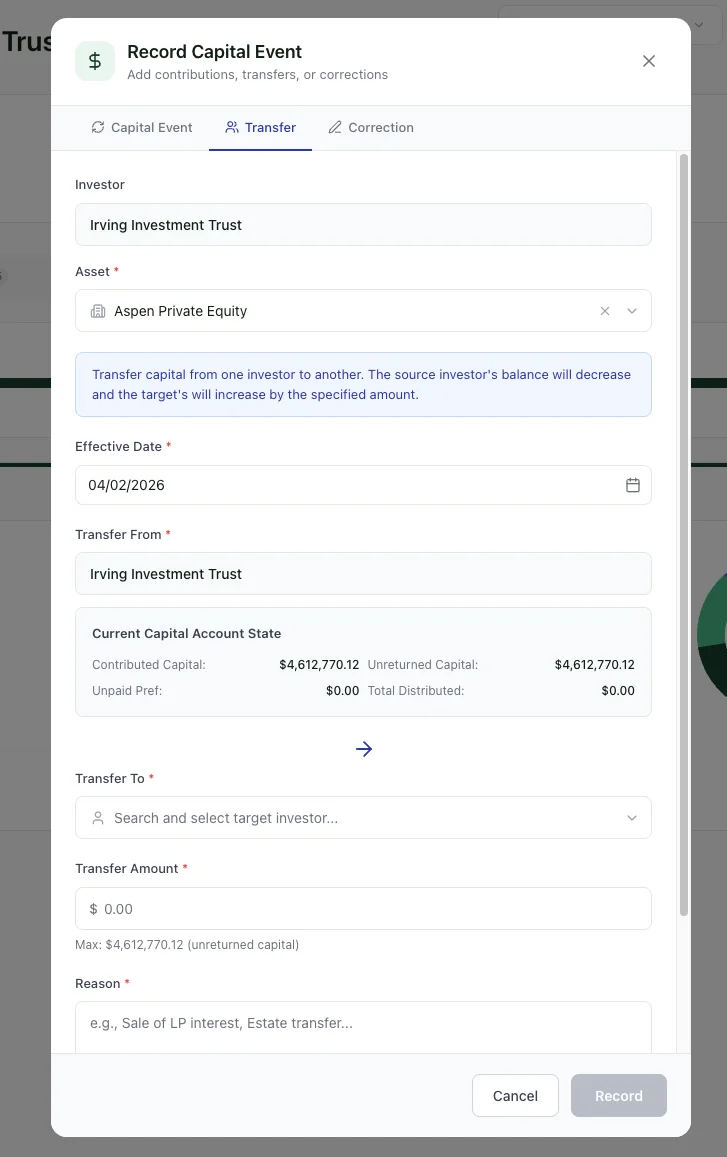
The Transfer tab. Move capital between investors — shows the source investor's current capital account state.
Corrections
The Correction tab adjusts an investor's capital balance retroactively. Use this when a prior contribution amount was wrong or needs to be updated. Corrections are locked once an official distribution has been run after the correction's effective date. You'll see a warning if the correction would conflict with existing distributions.
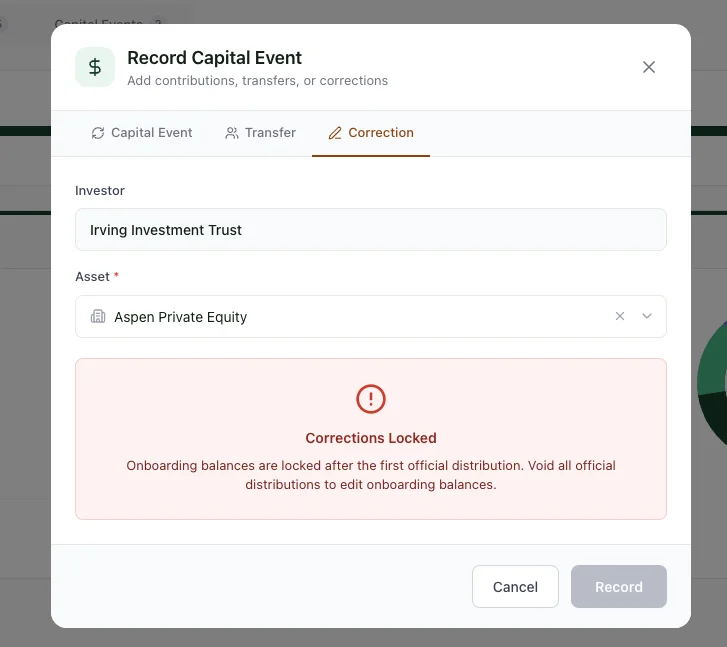
The Correction tab. Corrections are locked after official distributions to protect your audit trail.
Behavior Flags
When recording a capital event, two flags control how it participates in the waterfall:
- Accrue Pref: If enabled, preferred return accrues on this capital event going forward. For initial contributions and reinvestments, this is typically on.
- Apply to ROC: If enabled, this capital counts as "unreturned capital" for ROC distribution purposes. This is typically on. Disable it only if the capital should not participate in normal waterfall mechanics (rare edge case).
Time-Weighted Preferred Return
A key feature of WaterfallOne is time-weighted preferred return calculation. When you record a capital event mid-period, the system may create a new accrual tranche:
- Capital added at the beginning of a period accrues the full period's preferred return
- Capital added mid-period accrues return only from its effective date forward
- When calculating preferred distributions, the system respects this time-weighted approach and distributes each investor's accrued amount according to when their capital was invested
This ensures fairness when capital is added at different times during the fund's life.
Voiding Capital Events
If a capital event was recorded in error, you can void it. However, you cannot void a capital event if non-voided distributions exist after its effective date. This prevents orphaning distributions that depend on the capital event's balance. If you need to void an older capital event, void all dependent distributions first (in reverse chronological order), then void the capital event, then recreate any distributions that should be restored.
Ready to try it?
Start free. No credit card required.